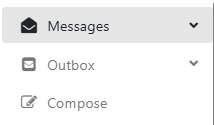
To compose a new message,click on Messages>Outbox>Compose.
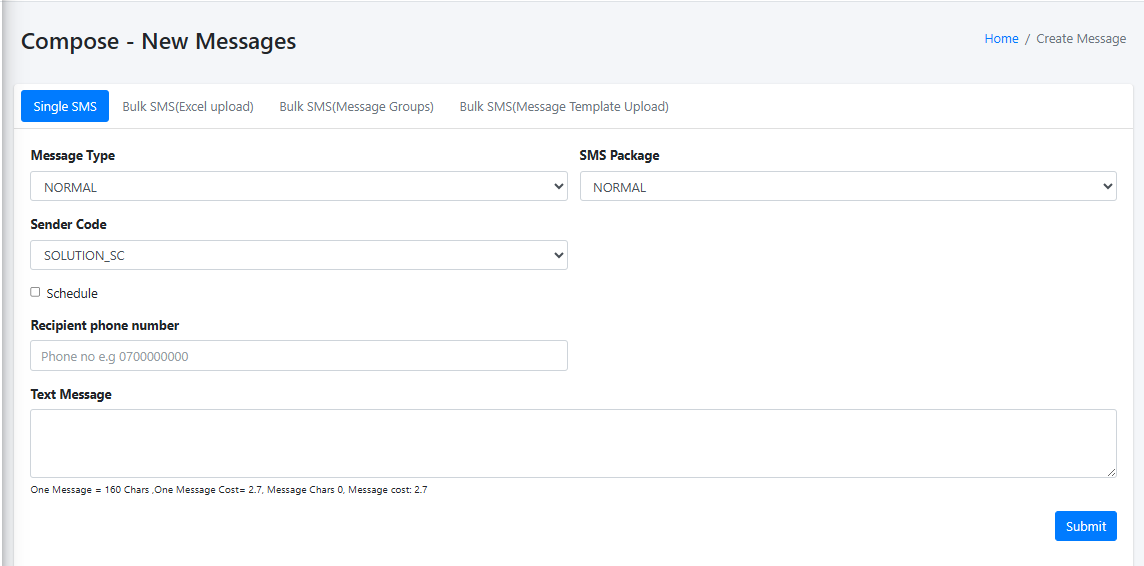
Sending a single message
To send a single sms,click on single sms button and choose Message Type (Normal or Marketing).The sender code automatically populates depending with the client.Enter the recipient phone number,type the message and click on submit.
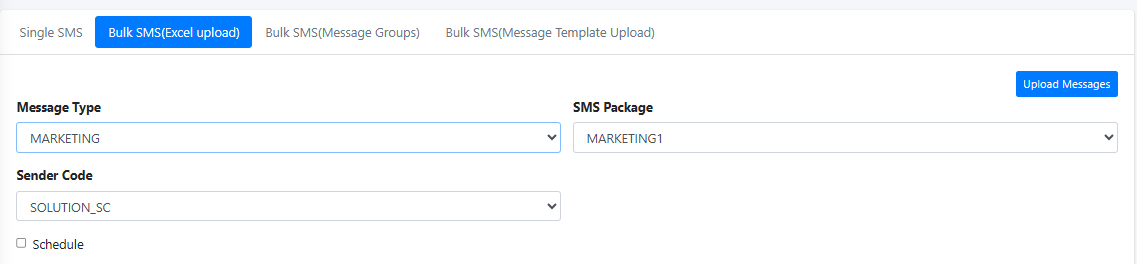
Sending Bulk Sms(Excel upload)
To send Bulk sms, click on Bulk sms button and choose message type.Click on upload messages button.
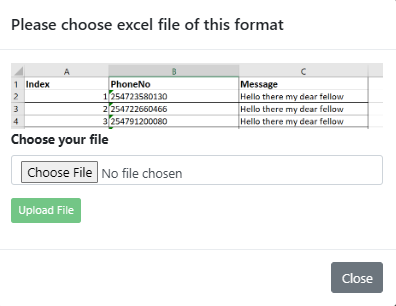
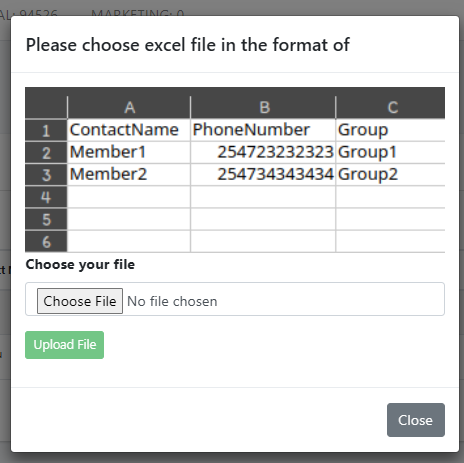
After clicking on the upload messages button,the above window appears.Kindly ensure your excel file is prepared using the above format.Click on choose file then Upload file
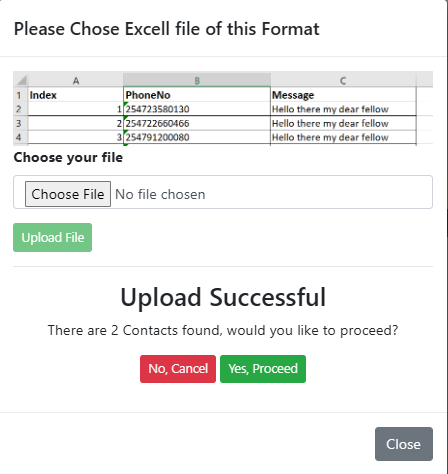
If you sure about the file you uploaded, click on Yes, Proceed.
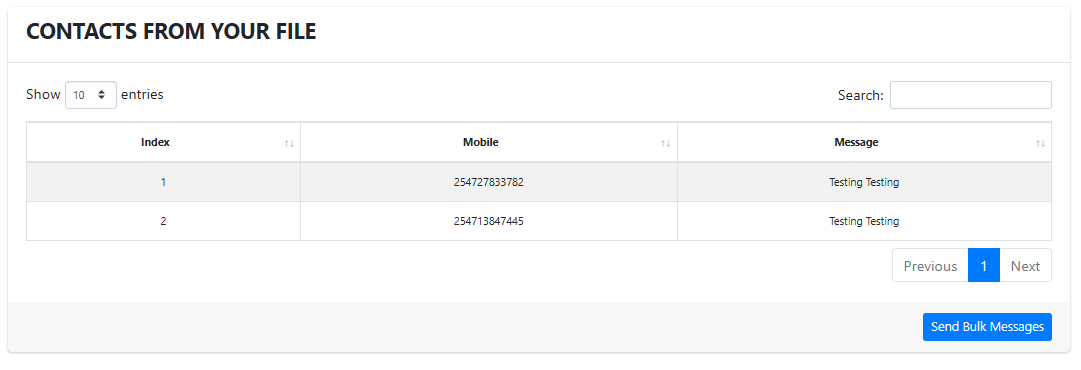
Click on Send Bulk Messages,the system will send the message to all selected contacts simultaneously.
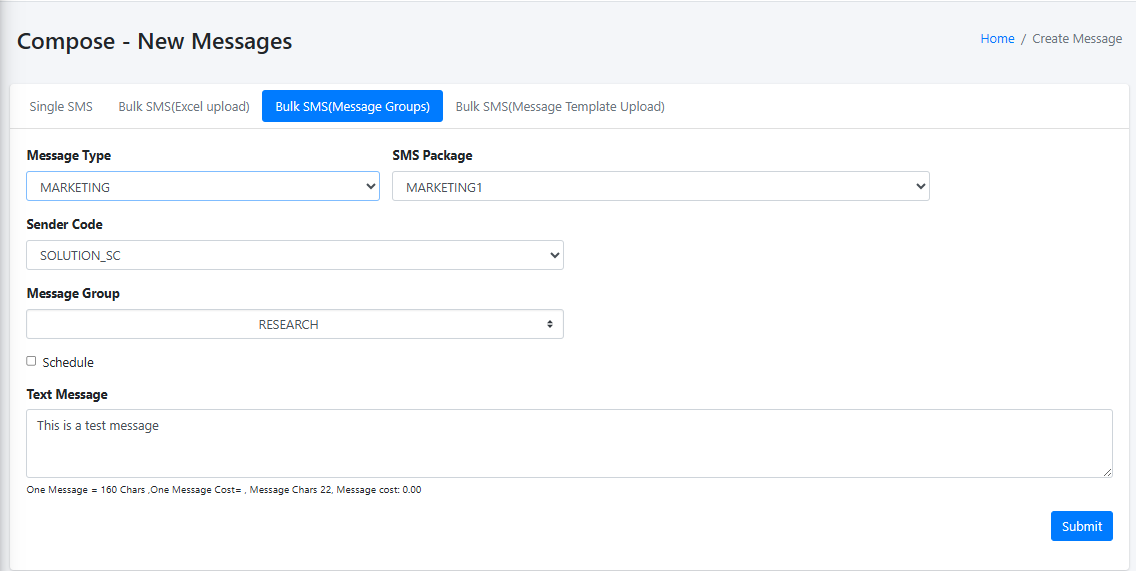
Sending Bulk Sms(Message Groups)
To send bulk messages to a group,click on Bulk sms message groups button.This allows you to send one message to a predefined group of contacts instead of selecting phone numbers individually.Click on Message type,choose the message group you intend to send messages to.Type your message and click submit.
Sending Bulk Sms(Message Template Upload)
To send Bulk sms using a template upload,click on bulk sms template upload.Upload an excel file and select variables based on column headers.After uploading the file, the system should extract the column names and make them available as placeholders for creating a custom SMS template. The client can then use these placeholders to personalize messages, which will be sent to members using the data from the Excel file.
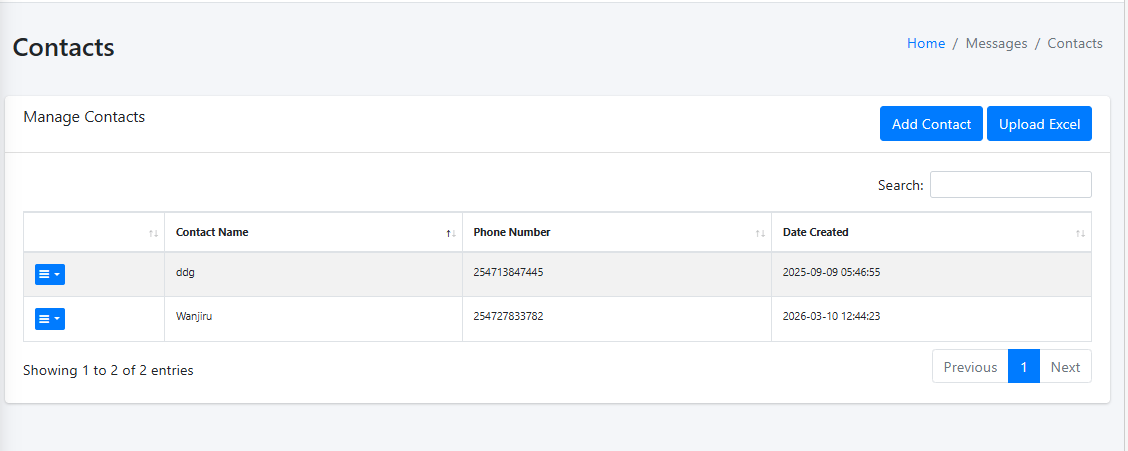
Contacts
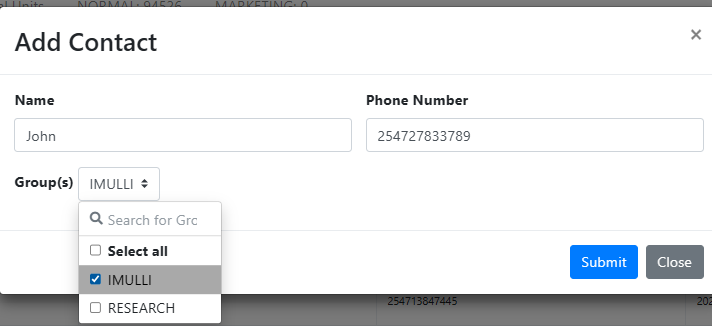
To add a contact,click on add contact, input the name and the phone then click on submit or upload an excel file in the format shown below.
Groups
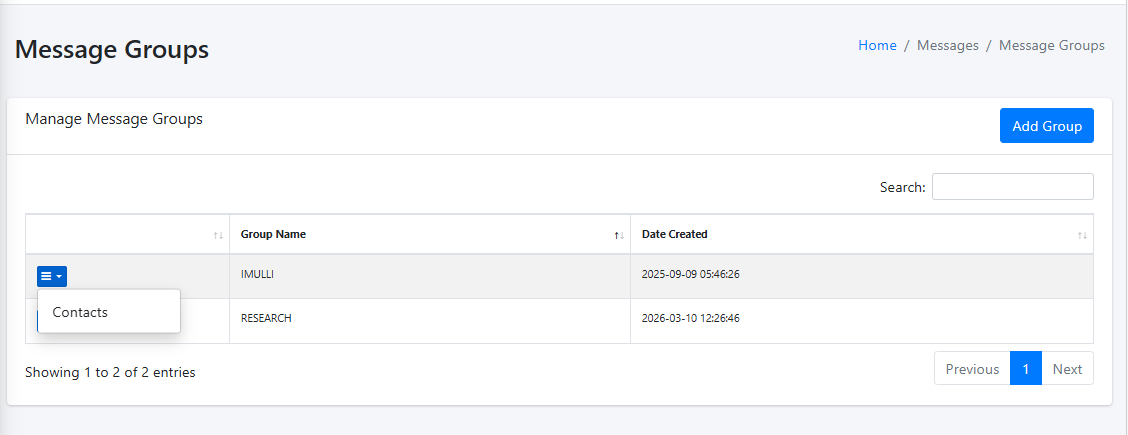
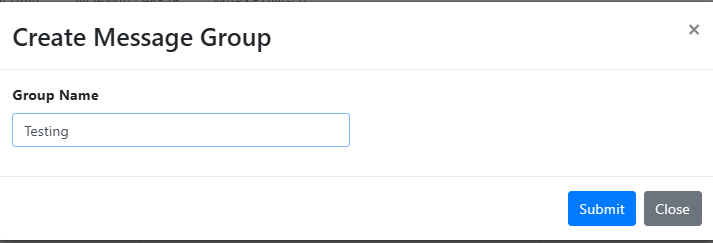
To add a new group,click on add group.Type the name of the group and click submit.You can also add contacts to an existing group.
Outgoing Messages
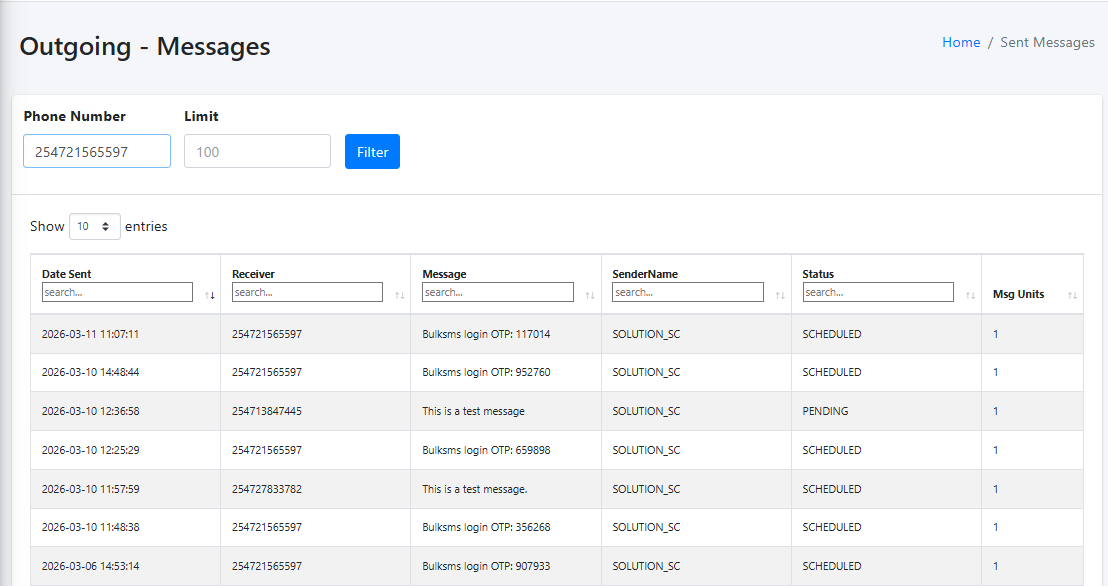
To view outgoing messages or messages sent,click on Messages>Outbox>Outgoing Messages.Filter using a phone number and define limit you need.The sent messages will be displayed as shown above.